


Onlit - Read Good Novels
4.3650.00 Reviews
App Specs
- Version
- 5.2.1
- Updated On
- License
- Free
- Downloads
- 500,000+
- Developer
- Moboreader Technology USA Co Ltd
- Categories
- Books & Reference
- Platform
- Android
Screenshots

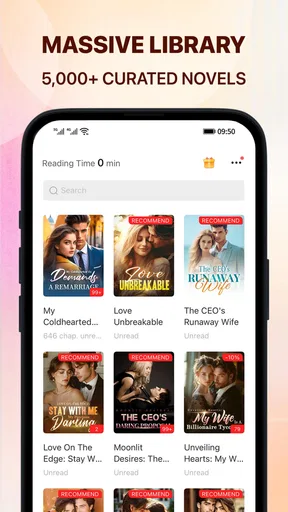

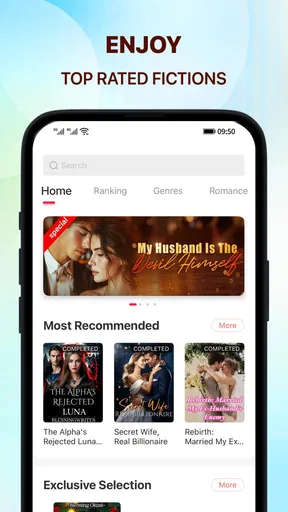
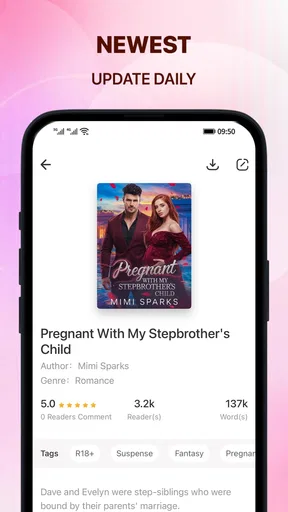
 Analysis by AppCompare
I approach Onlit - Read Good Novels as a reading app for people who want serialized fiction close at hand, especially romance and other easy-to-pick-up stories. Its Books & Reference focus is a better fit for browsing a novel library than for managing a personal collection of books. That distinction matters: if I want a familiar title I already own, I would usually turn to an ebook reader; if I want to find another ongoing story during a spare moment, Onlit makes more sense.
A routine that suits reading in small pockets
My most useful way to approach a story app is to treat discovery and reading as two separate steps. I browse when I have time to compare options, then settle on one or two stories to follow rather than opening every promising title at once. That keeps a growing reading list from turning into a pile of half-started chapters, and makes it easier to remember which plot I actually want to return to.
A realistic use case is a commute with an uncertain connection. I can choose a story while I have access, use the app’s offline reading capability for a stretch without Wi-Fi, and return to the bookmark when I have another quiet moment. I would still check that the story is available for offline reading before relying on it for a long trip; offline access is helpful, but it is most useful when I prepare instead of assuming every title is ready.
Onlit is free to install, and its Teen content rating makes it relevant to readers looking for teen-rated material, though that label is not a substitute for checking whether a particular story suits an individual reader. Moboreader Technology USA Co Ltd develops the app. It has a 4.3 average from around 8,200 ratings and over 500,000 installs, so there is a sizeable audience, but popularity alone cannot tell me whether the library matches my tastes.
Comfort settings worth making your own
Rather than changing the display every time I open a chapter, I would settle on a comfortable font size and background color early. A quick test in both bright daylight and a dim room helps reveal whether the same combination works across the day. If I read mostly at night, a less glaring background may feel easier; if I read outdoors, stronger contrast can matter more than a particular aesthetic. The useful setting is the one that lets me stay focused without repeatedly fiddling with the screen.
Bookmarking becomes more valuable when I read more than one novel. I would make a simple habit of leaving each story at a clear stopping point and using its bookmark before switching to another. That reduces the familiar “where was I?” pause and is especially handy when chapters end on a cliffhanger. It also helps separate a planned reading session from casual browsing: choose the next chapter when you have time, then close the app knowing where to resume.
The app’s current version is 5.0.6.2 and it requires Android 6.0 or later. The listing also identifies it as available for iOS, so the platform choice is not limited to Android. I would check that my device meets the relevant platform requirements before installing, particularly if I am setting it up on an older phone.
Worth Reading Before You Choose

EA SPORTS FC Mobile 26 Is a Bigger Football Game, but It Takes Time

Flipboard Shows What News Apps Must Do Beyond the Feed

Switching to Android Auto Means Rethinking Your Driving Routine

Google Calendar Makes a Crowded Week Easier to Manage

Ludo King Makes the Most of the Minutes Between Plans

Baby Panda World Brings Quick Play to Modern Phones, but Its Game Library Feels Busy
Exploring the Library
Once I downloaded Onlit - Read Good Novels, I was immediately impressed by the sheer variety of content available. From romance to fantasy, and mystery to sci-fi, the app boasts a wide array of genres. It’s like having a library in your pocket, and the best part? No late fees!
The user interface is sleek and intuitive. Browsing through different categories is a breeze, and the search function is quite efficient. I found myself easily discovering new authors and titles I hadn’t encountered before. The app also offers personalized recommendations based on your reading history, which is a nice touch.
Reading Experience
Reading on Onlit is a delight. The text is clear, and you can adjust the font size and background color to suit your comfort. Whether you’re reading during the day or indulging in a late-night binge, the app’s settings make it easy on the eyes.
One of the standout features for me was the bookmarking option. I tend to read multiple novels simultaneously, so being able to pick up right where I left off without any hassle is a huge plus. Additionally, the offline reading capability means I can enjoy my novels even when I’m on the go and away from Wi-Fi.
Community and Interaction
What really sets Onlit apart is its vibrant community. Readers can leave comments on chapters, share thoughts, and even interact with authors. It feels more engaging than just passively reading a book. Knowing that I can share my excitement or theories about a plot twist with fellow readers adds a social layer to the reading experience.
The app also occasionally hosts events and challenges, which can be a fun way to discover new reads and connect with others who share your tastes.
Subscription and Accessibility
Let’s talk about the subscription model. Onlit offers both free and premium content. While you can access a good amount of novels for free, subscribing unlocks additional features like ad-free reading and exclusive titles. It’s a model that allows you to choose what suits your budget without compromising on access to quality content.
The app is available on both Android and iOS, making it easily accessible to a wide audience. Whether you own a tablet or a smartphone, Onlit has you covered.
Choosing stories without losing track
The discovery tools are most useful when I give them a little direction. Search is the better choice when I already have an author, title, or genre in mind; category browsing is more relaxed when I want to take a chance on something unfamiliar. Recommendations can help surface possibilities, but I treat them as suggestions rather than a reading plan. If one misses the mark, returning to a genre or search is a practical way to regain control instead of endlessly scrolling.
For a repeatable routine, I would browse first, sample a story, and then decide whether it deserves a place among my active reads. That small pause is worthwhile in a serialized-fiction app: a promising premise does not always mean I will enjoy the pacing over multiple chapters. Keeping the number of active novels manageable also makes bookmarks genuinely useful rather than just a record of many abandoned starts.
What the social layer adds—and what it asks of you
Chapter comments can make an ongoing story feel less solitary. I like the idea of reading a twist and seeing how other readers react while the moment is still fresh. The trade-off is that discussion can affect how I experience a plot: comments may reveal reactions or interpretations I would rather encounter after forming my own opinion. When I want to avoid that distraction, I can simply focus on the chapter and leave the conversation for later.
Events and challenges may give regular readers a reason to explore beyond their usual choices, but I would not make them the point of using the app. They are an extra social route into reading, not a replacement for finding a story whose writing and pace work for me. Readers who prefer a quiet, private experience can still use the core reading and bookmarking workflow without needing to participate in every community feature.
How it compares with other ways to read
Compared with a conventional ebook app built around books you purchase or import, Onlit is more discovery-oriented and social. That can be appealing when I want serialized novels and a sense of other readers following along. A standard ebook reader is the stronger choice if I care most about a carefully organized personal library, a specific book I already own, or a reading setup centered on standalone titles.
It also differs from a general web search for fiction. Browsing inside one app can make it easier to move from a category or recommendation to a chapter, while comments give the reading experience a communal angle. The cost of that convenience is that the experience is tied to the app’s own selection and access model. I would choose Onlit for casual exploration and ongoing stories, not assume it replaces every other source of books.
Understanding the cost before settling in
Although installation is free, in-app purchases range from $0.99 to $199.99 per item. That wide span is a good reason to look carefully at what an individual purchase covers before confirming it. I would begin with the free reading available, notice where a story’s access changes, and decide whether paying makes sense for my own reading habits. A reader who wants predictable spending may prefer to avoid impulse purchases and set a personal limit before getting absorbed in a serial.
This is also where Onlit may not suit everyone. If I only read occasionally, prefer a complete novel with a clear one-time cost, or do not want purchase prompts interrupting a story, another reading option may feel simpler. The free entry point is convenient, but it does not mean every title or reading path will remain free. Teen is the app’s content rating; I would still use judgment about the themes and comments in individual stories, especially when choosing something for a younger reader.
When I would recommend it
I would recommend Onlit to someone who enjoys exploring romance and other serialized fiction, likes discovering new titles, and appreciates being able to pick up a chapter in spare moments. It is particularly convenient for a reader who switches between a small number of novels, uses bookmarks consistently, and occasionally wants to read away from Wi-Fi. The combination of discovery, adjustable text, and chapter-level conversation gives it a character that a plain file reader does not have.
I would hesitate to recommend it to someone seeking a polished catalogue of specific mainstream books, a purely offline library they manage themselves, or a reading experience with no social element. It is also less appealing if I want to avoid in-app spending entirely and would rather know the full cost of a book before I begin. Those are not reasons the app is unusable; they are practical differences that help determine whether its model fits.
Final Thoughts
In a world where convenience and variety are key, Onlit - Read Good Novels stands out as a fantastic choice for avid readers. With its extensive library, user-friendly design, and active community, it offers more than just a reading experience—it provides a gateway to countless new worlds and adventures.
If you’re looking for a way to indulge in your love for novels, Onlit might just be the perfect companion. So, why wait? Dive into the stories and let your imagination soar!
My practical verdict
For me, the best way to get value from Onlit is to make it a dependable reading habit rather than a place to browse without an end point. I would pick a story, tune the display once, bookmark before switching titles, and save offline reading for a time when I know connectivity may be unreliable. Those small choices make the app feel more like a personal reading routine and less like an endless feed.
Its appeal rests on a clear mix: a free starting point, a broad range of novels, reading adjustments, bookmarks, offline access, and a community layer. Its limitations are just as important to keep in view: purchases can vary widely in price, the reading experience centers on the app’s own offerings, and social features may not be everyone’s preference. If that balance suits you, Onlit is worth trying; if not, a conventional ebook reader or a simpler reading source may be the more comfortable choice.
Pros
- Wide variety of genres available.
- User-friendly interface for easy navigation.
- Offline reading mode saves data.
- Frequent updates with new content.
- Customizable reading settings.
Cons
- Contains ads which can be intrusive.
- Premium features require a subscription.
- Limited free chapters for some novels.
- Occasional app crashes reported.
- Requires constant internet for updates.
FAQs for Onlit - Read Good Novels
What is Onlit - Read Good Novels?
Onlit - Read Good Novels is a mobile application designed for book lovers who enjoy discovering new stories and authors. It offers a wide range of novels across various genres, including romance, mystery, fantasy, and more. The app provides a user-friendly interface to enhance your reading experience, allowing you to explore and enjoy countless books on your Android or iOS device.
Is Onlit - Read Good Novels free to use?
Onlit offers a mixture of free and paid content. While you can access many novels without any cost, some premium titles may require in-app purchases or a subscription. The app provides a selection of free chapters to sample before deciding to invest in the full story, making it accessible for all types of readers.
Can I read offline with Onlit - Read Good Novels?
Yes, Onlit allows you to download novels for offline reading. This feature is particularly useful for users who want to enjoy their books without needing an internet connection. Simply download your chosen novels while connected to Wi-Fi, and you can read them anytime, anywhere, even when offline.
How often is new content added to Onlit - Read Good Novels?
Onlit regularly updates its library with new novels and chapters. This ensures that readers always have fresh content to explore. The app's team works closely with authors to bring new stories and updates to the platform frequently, keeping users engaged with a diverse selection of literature.
Is Onlit - Read Good Novels suitable for all ages?
Onlit offers novels across various genres and age groups, including young adult, adult, and even some children's literature. However, some content may be more suitable for mature audiences. It's recommended for parents to review the app’s content or check individual novel ratings to ensure appropriateness for younger readers.


